
Every file on the record it belongs to
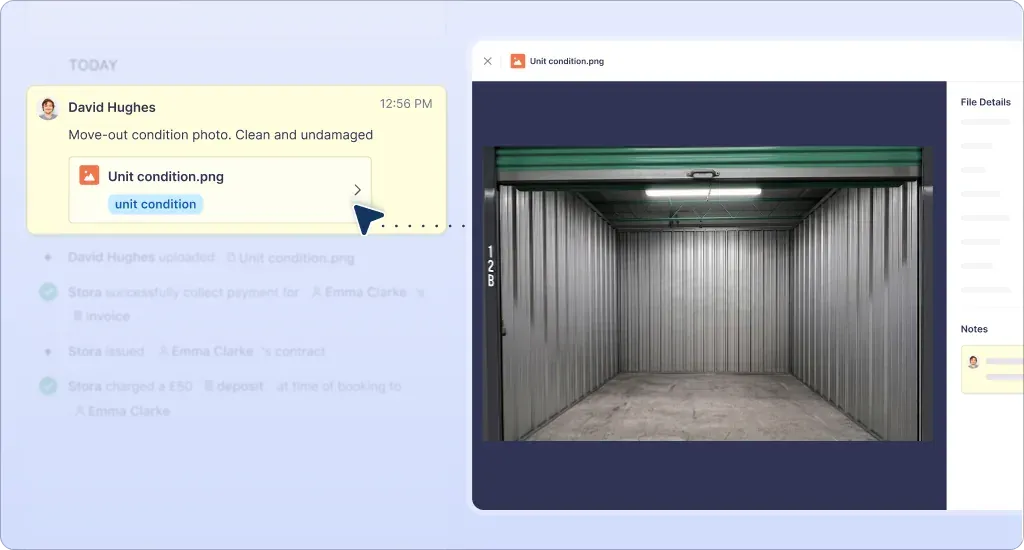
Insurance certificates, photos of a unit’s condition at overlock, paperwork brought over from an old system — all of it sits with the customer it relates to, and anything that isn’t tied to one record goes on the Files page.
Until now that paperwork lived outside Stora, in inboxes and shared drives, and finding it meant knowing where it was.
How it works
- Upload from the record or the Files page: drag and drop, then tag it, pick a site and add a note.
- Find it later: search by filename, contact, subscription or unit, and filter by site, type, uploader or tag.
- Files land on the timeline, in context amongst the rest of the events.
- Private by default: files follow the permissions your team already has, and every one is scanned for malware on upload.
- Preview in Stora without downloading. Images, PDFs, Office documents and text files, up to 32 MB.
Every plan includes storage, from 5 GB on Essentials to 25 GB on Advanced. Time to retire the shared drive.