
Reset billing date to current day
We’ve just made billing date management a whole lot easier. Customers sometimes ask to be billed on a specific day — and now all operators can reset billing dates directly within Stora.
How It Works:
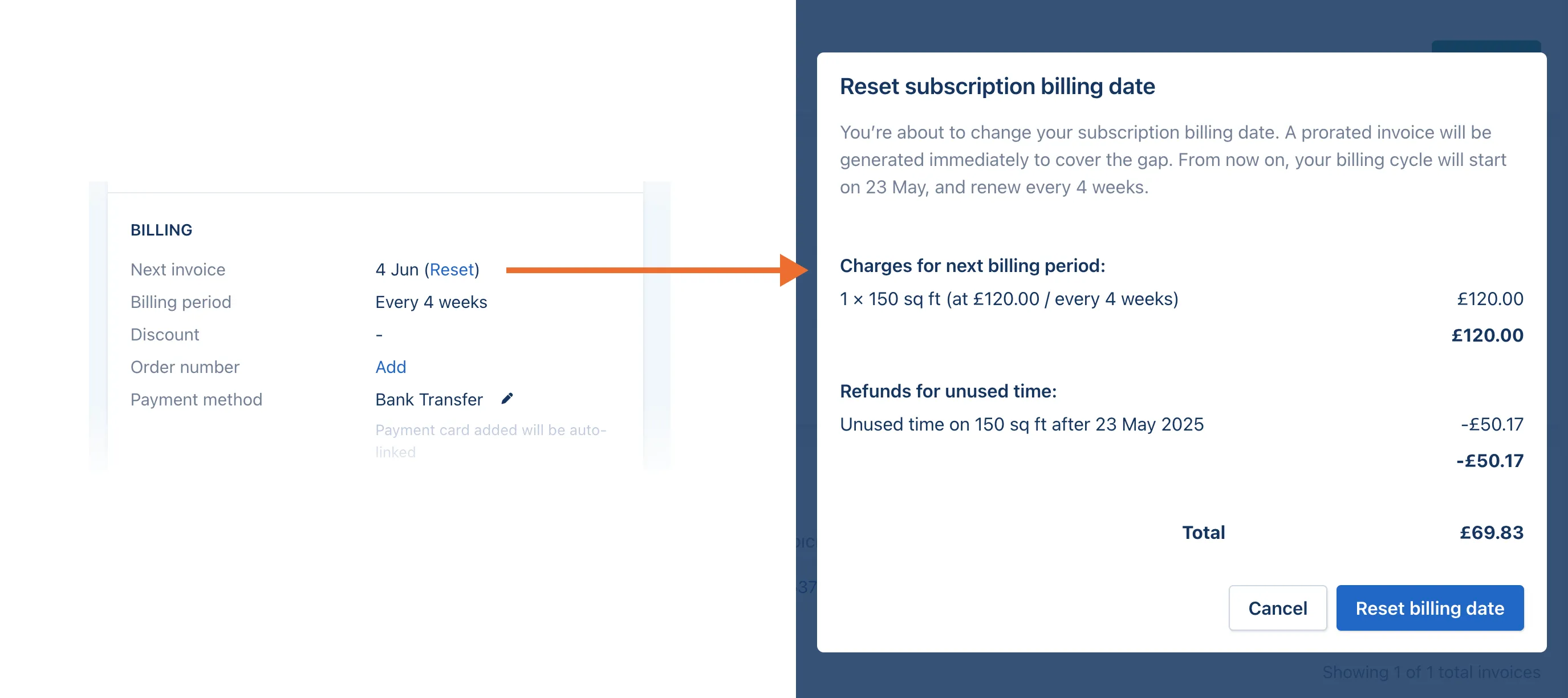
📌 Go to any active subscription
📌 Scroll to the Billing section
📌 You’ll see a new “Reset” link next to the next invoice date
📌 Click it to see a preview of the proration before confirming
Heads-up: You can’t pick a specific future date — only reset to today’s date. So if a customer wants to be billed on the 1st, make sure to hit Reset on the 1st.
💡 Pro Tip: Use Tasks to remind yourself when to do this — it’s a great workaround until date selection becomes available.